
Infrastructure
Provisioning a Highly Available AWS Load Balancer with Terraform
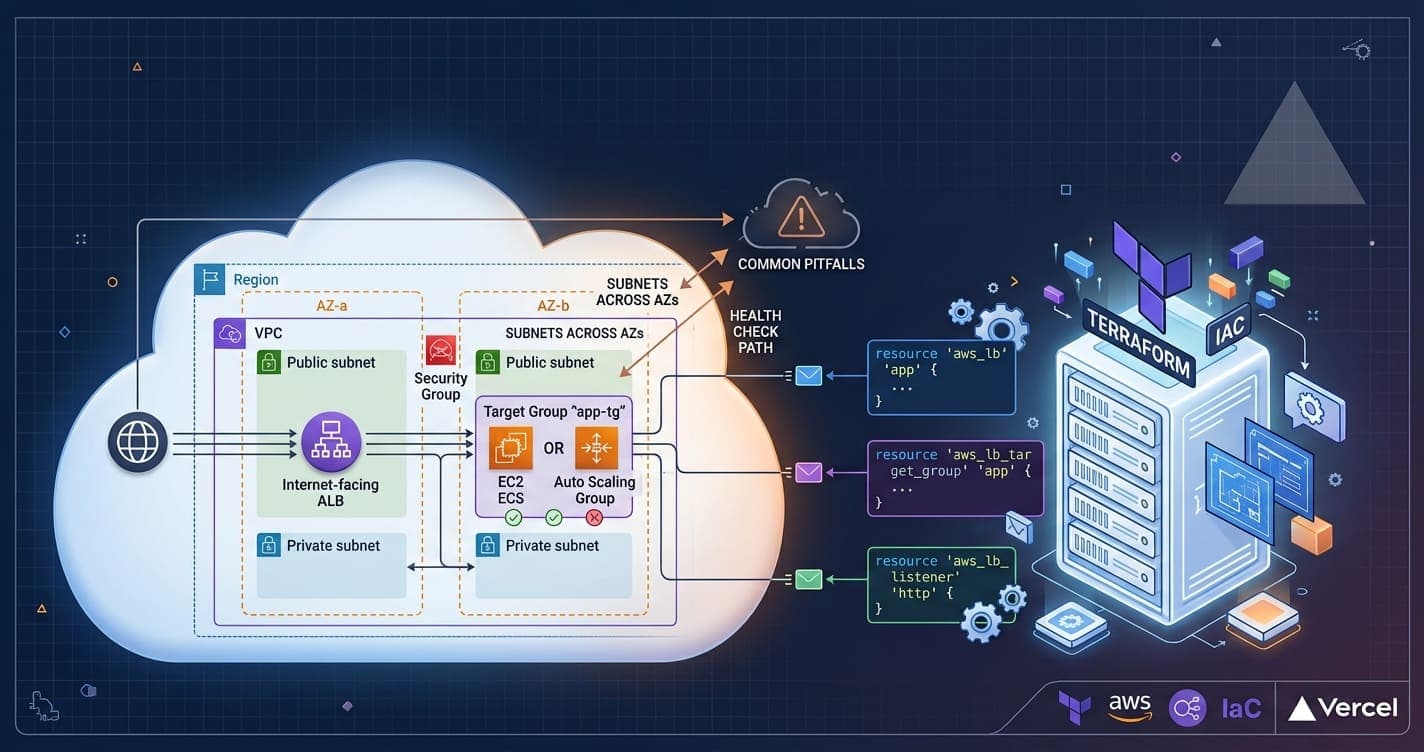
A practical walkthrough of defining an Application Load Balancer, target groups, and listener rules as code — and the pitfalls that trip up most first attempts.
Share this article
Why put an ALB in front of your app
An Application Load Balancer distributes incoming traffic across multiple targets in one or more Availability Zones, terminates TLS, and health-checks your instances so unhealthy ones stop receiving traffic automatically. Defining it in Terraform, alongside the rest of your infrastructure, means the load balancer's configuration is versioned, reviewable, and reproducible across environments.
Provider and networking prerequisites
Before declaring the load balancer itself, you need a VPC with at least two subnets in different Availability Zones — an ALB refuses to provision across a single AZ — plus a security group that allows inbound traffic on the ports it will listen on.
Defining the load balancer
The aws_lb resource ties together the subnets and security group. Setting internal to false makes it internet-facing.
resource "aws_lb" "app" {
  name               = "app-alb"
  internal           = false
  load_balancer_type = "application"
  security_groups    = [aws_security_group.alb.id]
  subnets            = [aws_subnet.public_a.id, aws_subnet.public_b.id]

  enable_deletion_protection = true

  tags = {
    Environment = "production"
  }
}
Target groups and health checks
A target group defines how the ALB routes to your instances and how it decides whether they're healthy. Tune the health check path and thresholds to match your app — the defaults are rarely right.
resource "aws_lb_target_group" "app" {
  name     = "app-tg"
  port     = 8080
  protocol = "HTTP"
  vpc_id   = aws_vpc.main.id

  health_check {
    path                = "/healthz"
    interval            = 15
    timeout             = 5
    healthy_threshold   = 2
    unhealthy_threshold = 3
  }
}
Listeners and routing rules
A listener binds a port and protocol on the ALB to one or more target groups. For a single-service setup, a listener with a single default_action forwarding to the target group above is enough; for multiple services behind the same ALB, add aws_lb_listener_rule resources that match on host header or path and forward to different target groups.
Watch for:
- subnets that span at least two Availability Zones (a common "Invalid subnet ID" error),
- a health check path that actually exists and returns 2xx quickly,
- and the target group's
deregistration_delay— a long default can slow down rolling deployments if you don't tune it down for fast-cycling environments.
Wrapping up
Once the ALB, target group, and listener are declared, attach your compute — an Auto Scaling Group, ECS service, or standalone instances — to the target group and Terraform will keep the whole chain in sync on every apply.
Written by
Rivo Rahajason
Lead Full-Stack Developer
Full-stack developer working across .NET, Angular, and React, with a focus on clean architecture, CI/CD automation, and infrastructure as code.
Comments